
Update
Enable Update Plugin using the
initialization.xmlfile orMenu/Help/Edit InitializationRestart Pychron
Open Pychron’s
Preferencesand goto theUpdatesectionIn the Update Repo section set the “Name” of Pychron fork you will be using. Each organization typically has its own fork. For example
NMBGMR/Pychron.
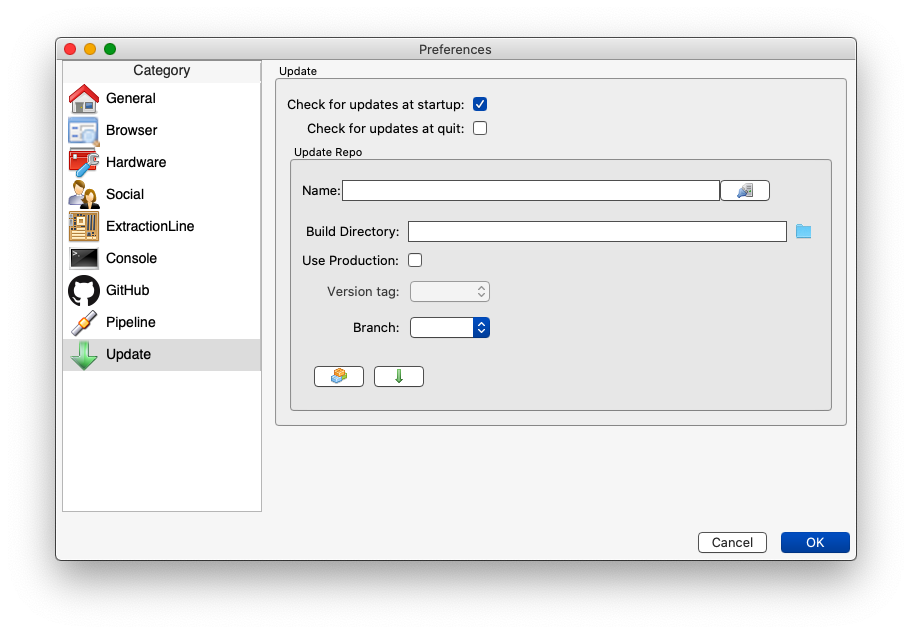
After setting a valid name, test connection to the fork and load available tags and branches using the “Test Connection” button to the right of the “Name” entry field.
Set the build directory. This is the location on your computer where the code actually “lives”. If your version of Pychron was installed using the installer script your should already have a build directory on your computer, typically
/Users/<username>/.pychron.0/pychronSet the Branch
 Checkout the Branch
 Update the Branch